Accounting
Accounting comprises the chart of accounts (SKR03/04/42) and the journals auto-generated from sales, expenses and stock movements. From here you export the data to DATEV.
Overview
You find this page in the menu under We → Finance → Accounting.
Accounting represents the general ledger of your club or studio. The basis is a chart of accounts following SKR03, SKR04 or SKR42. From your sales, expenses and stock movements, spooorts automatically generates the matching journals. This produces complete, DATEV-ready accounting without you having to post every transaction by hand.
Views
The page is divided into two tabs: under Accounts you manage the chart of accounts. Under Journals you see the individual postings with document number, period, source, debit and credit lines as well as the total.
Managing the chart of accounts
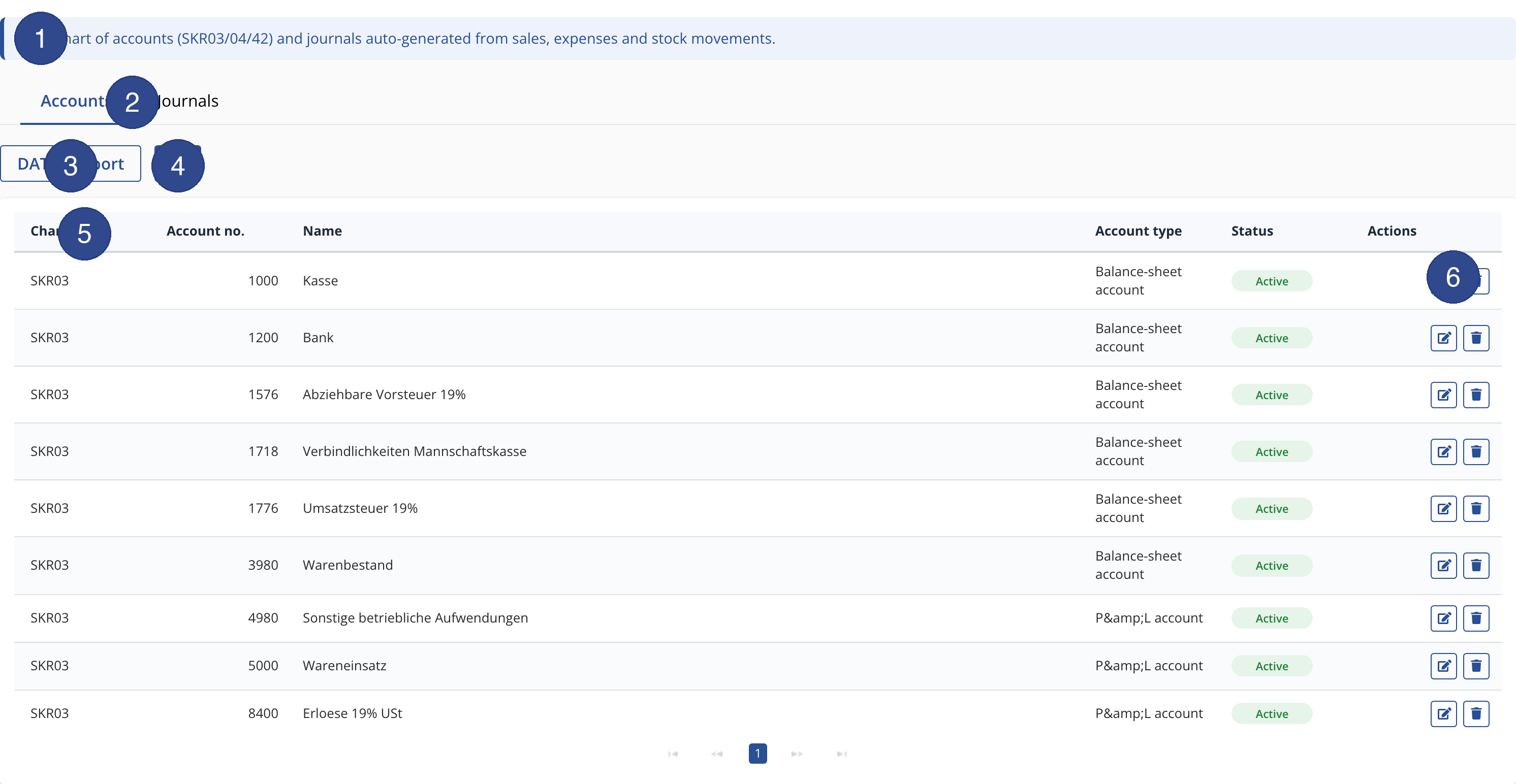
- ① Note
- The note explains that here you manage the chart of accounts (SKR03/04/42) and the journals auto-generated from sales, expenses and stock movements.
- ② Views
- Use the two tabs to switch between Accounts (the chart of accounts) and Journals (the individual postings).
- ③ DATEV export
- Use this button to export the accounting data in DATEV format for your tax advisor or your accounting software.
- ④ New account
- Use the plus button to create a new account in the chart of accounts, for example an additional revenue or expense account.
- ⑤ Sortable columns
- The table shows Chart, Account no., Name, Account type, Status and Actions. Click a column header to sort.
- ⑥ Row actions
- For each account you can edit or delete the account using the icons at the end of the row.
Account types
Each account has an account type: balance-sheet account (assets and liabilities, e.g. cash, bank, VAT) or P&L account (expenses and income of the profit and loss statement, e.g. cost of goods, revenue). In addition you can store the normal balance (debit or credit), the parent account and a tax rate.
Journals
On the Journals tab you see all automatically generated postings. Each journal has a document number, a period, a source (e.g. sale, expense, stock movement) as well as journal lines with debit and credit and a total.
Tips
- Choose the appropriate chart of accounts (SKR03, SKR04 or SKR42) at the start — it forms the basis of all postings.
- Use the automatically generated journals and spot-check them instead of posting everything by hand.
- Export to DATEV regularly so your tax advisor always has up-to-date data.
- Only create additional accounts when you really need them — a lean chart of accounts stays clear.