Templates
Manage templates for bib numbers, awards, invoices, delivery notes and vouchers with your own branding.
Overview
You find this page in the menu under We → Settings → Templates.
In the Templates section you define the visual appearance of your documents. Templates are used as background images and are automatically filled with the respective data (participant name, placement, invoice amount etc.).
Typical templates are certificates, start numbers, invoices and participation confirmations. You upload a background design and define at which position which data appears; when generating a document, spooorts fills the placeholders automatically with the appropriate values. This way a template designed once produces any number of personalised documents without you having to edit each one individually.
Per document type you can store several templates and select the appropriate one depending on the occasion — such as a festive certificate for a tournament and a plain layout for a participation confirmation. The stored templates apply organisation-wide, so that all documents carry a consistent appearance.
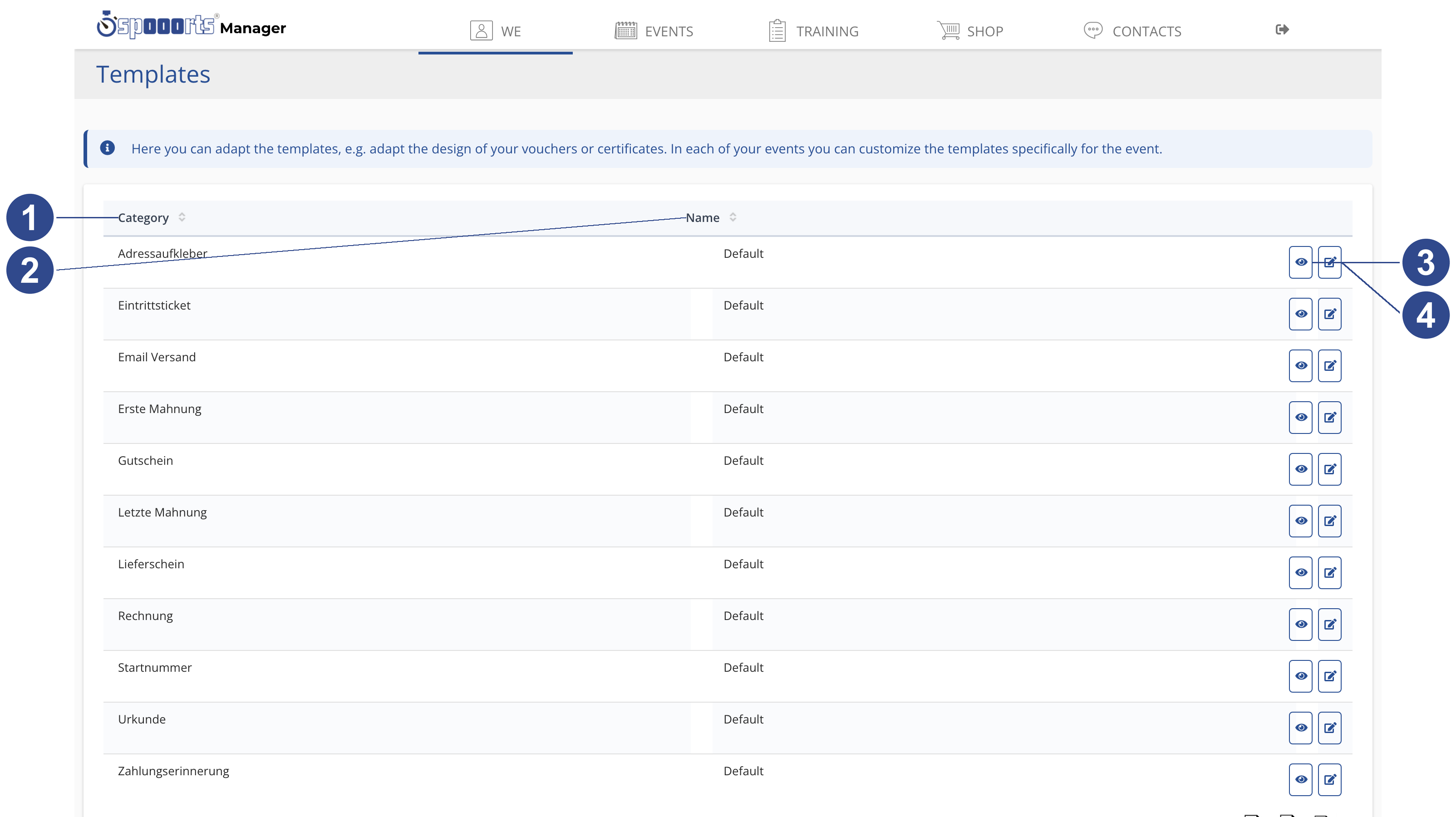
- ① Category
- Shows the kind of template, e.g. certificate, voucher, invoice or dunning notice. Click the column to sort the list alphabetically.
- ② Name
- The name of the template version; "Default" is the standard version used everywhere until you create your own.
- ③ Preview
- Opens a preview of the template so you can see how the finished document looks. This lets you check the design before using it.
- ④ Edit template
- Opens the template editor where you adapt logo, colors, texts and layout to your design. The changes then apply to all documents of this category.
Template Types
Five template types are available:
- Bib Number – Template for printed bib numbers. Recommended resolution: 2160 × 1515 pixels.
- Award – Template for participant and winner certificates. Recommended resolution: 4088 × 6320 pixels.
- Invoice – Template for automatically generated invoices.
- Delivery Note – Template for shipping documents.
- Voucher – Template for the PDF certificate of gift vouchers.
Customizing Templates
Select a template type from the list and click Edit. In the dialog you see a selection of predefined templates as preview images. You can choose a default template or upload your own template as a PNG file.
Custom templates should adhere to the recommended resolution for optimal display. The system automatically generates a preview of your uploaded template.