Country Tax Configuration
Depending on your organization's country, spooorts offers country-specific tax and compliance features — such as e-invoicing (Italy), MTD and Gift Aid (UK), SII (Spain), Factur-X (France) and Sales Tax (US).
Overview
You find this page in the menu under We → Finance → Income & invoicing.
Tax and reporting obligations differ from country to country. spooorts therefore shows suitable extra functions depending on your organization's country. These include, among others:
- Italy — electronic invoicing via SdI and Corrispettivi.
- United Kingdom — MTD VAT return and Gift Aid (donation tax reclaim).
- Spain — SII / Facturae.
- France — Factur-X / Chorus Pro.
- USA — Sales Tax.
These areas appear only when enabled for your country. The following example shows the UK Gift Aid configuration.
Example: Gift Aid (UK)
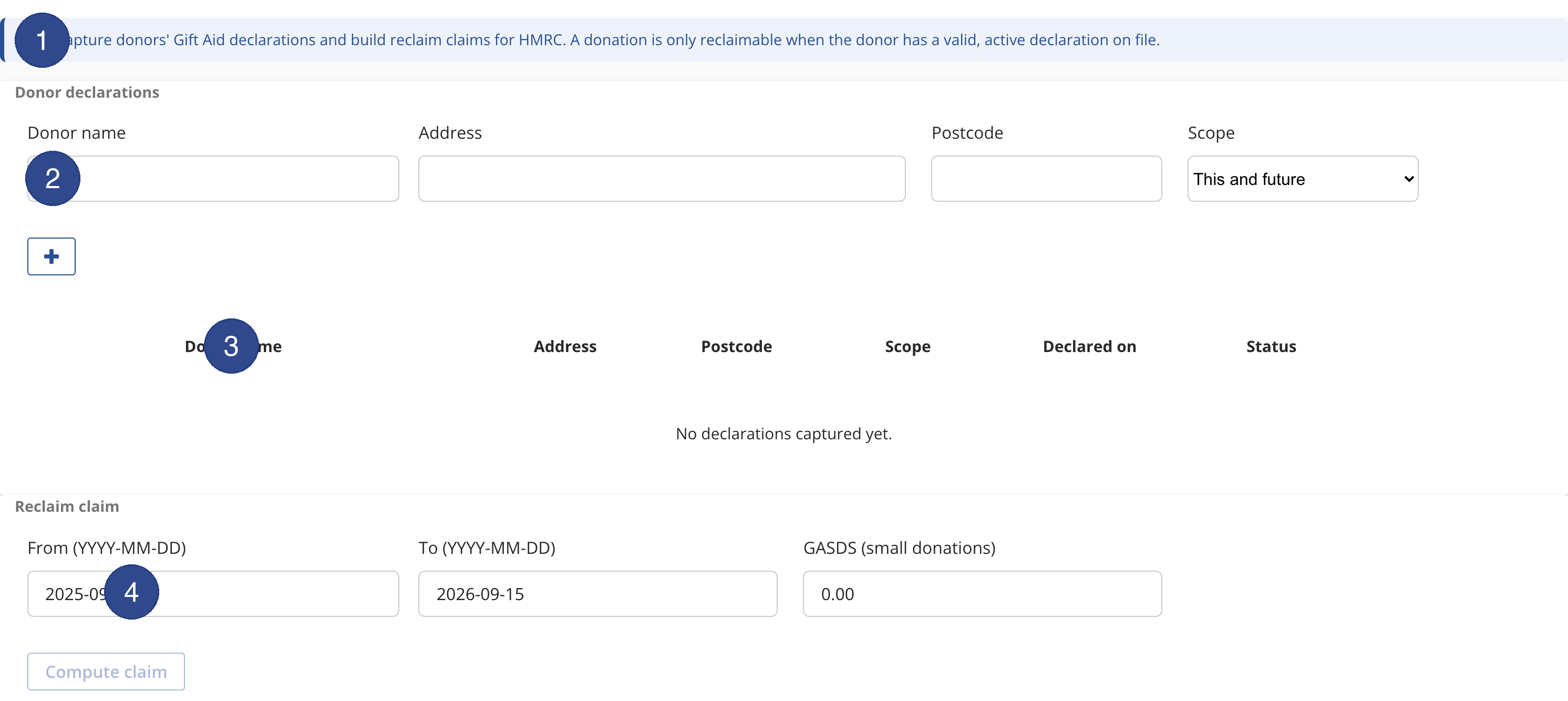
- ① Note
- The note explains the purpose: capture donors' Gift Aid declarations and build reclaim claims for HMRC. A donation is only reclaimable when a valid, active declaration is on file.
- ② Capture declaration
- In the Donor declarations area you enter Donor name, Address, Postcode and Scope and add the declaration using the plus button.
- ③ Declarations table
- The table lists the captured declarations with Donor name, Address, Postcode, Scope, Declared on and Status.
- ④ Reclaim claim
- In the Reclaim claim area you choose the period (From/To) and the GASDS (small donations) and use Compute claim to calculate the reclaim.
Tips
- Only enable the country functions you actually need — otherwise they do not appear in the menu.
- For Gift Aid, keep donor declarations up to date — without a valid declaration no reclaim is possible.
- Check the country-specific formats (e-invoice, SII, Factur-X) with your tax advisor before using them in production.