Spain — AEAT / SII
This page gathers the configuration for near-real-time VAT reporting to the Spanish AEAT via SII, Verifactu and TicketBAI.
What is the ES configuration (SII) for?
You find this page in the menu under We → Finance → Income & invoicing → ES configuration (SII). The page appears under Finance only once an operating location in Spain has been set up (the menu entry is country-gated).
Here you configure near-real-time VAT reporting to the AEAT via SII (Suministro Inmediato de Información), plus Verifactu and (Basque) TicketBAI, using a qualified mTLS client certificate. It requires an operating location in Spain.
The screen at a glance
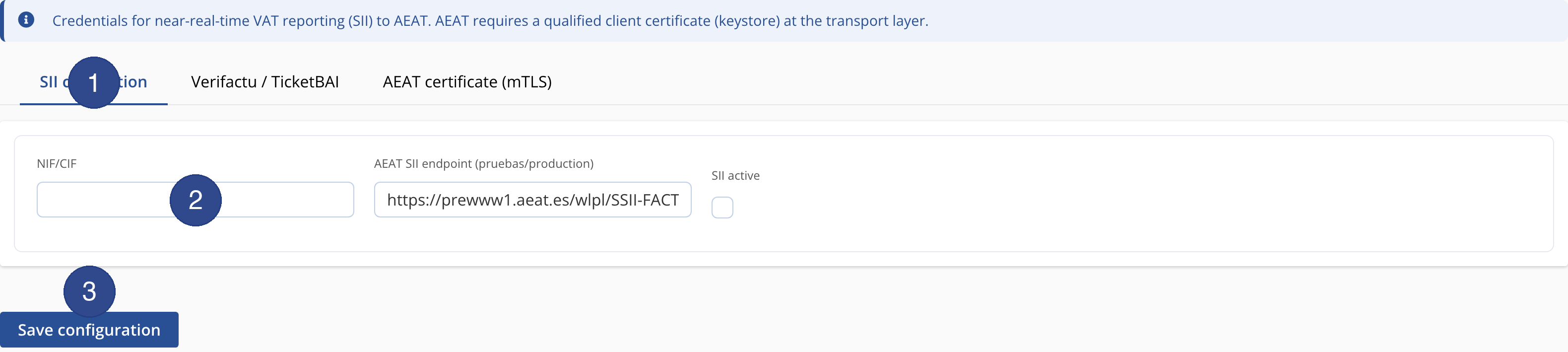
- ① SII connection
- The first tab SII connection is active when the screen opens.
- ② NIF/CIF
- NIF/CIF is the field for the business’s own tax identifier.
- ③ Save configuration
- The Save configuration button (label below) saves the configuration.
The tabs and fields
The configuration is organised in three tabs.
The SII connection tab holds the reporting connection: NIF/CIF is the Spanish tax identifier, AEAT SII endpoint (pruebas/production) selects the AEAT address and SII active switches reporting on or off.
The Verifactu / TicketBAI tab holds the QR settings: QR verification URL (AEAT) and Verifactu enabled relate to Verifactu; TicketBAI QR URL (province) and TicketBAI enabled relate to the (Basque) TicketBAI system.
The AEAT certificate (mTLS) tab holds the qualified client certificate for the mutual-TLS connection: Keystore path and Keystore password.
The Keystore password field is stored encrypted; leaving it blank keeps the stored value.