Report Builder, tax periods & organisation
Build your own reports from data source, columns, filters and grouping; close tax periods and consolidate the tenants of an organisation.
Report Builder
Under Analytics → Finance → Report Builder you assemble your own reports, without programming. Choose a data source and set columns, period, filters and grouping as needed:
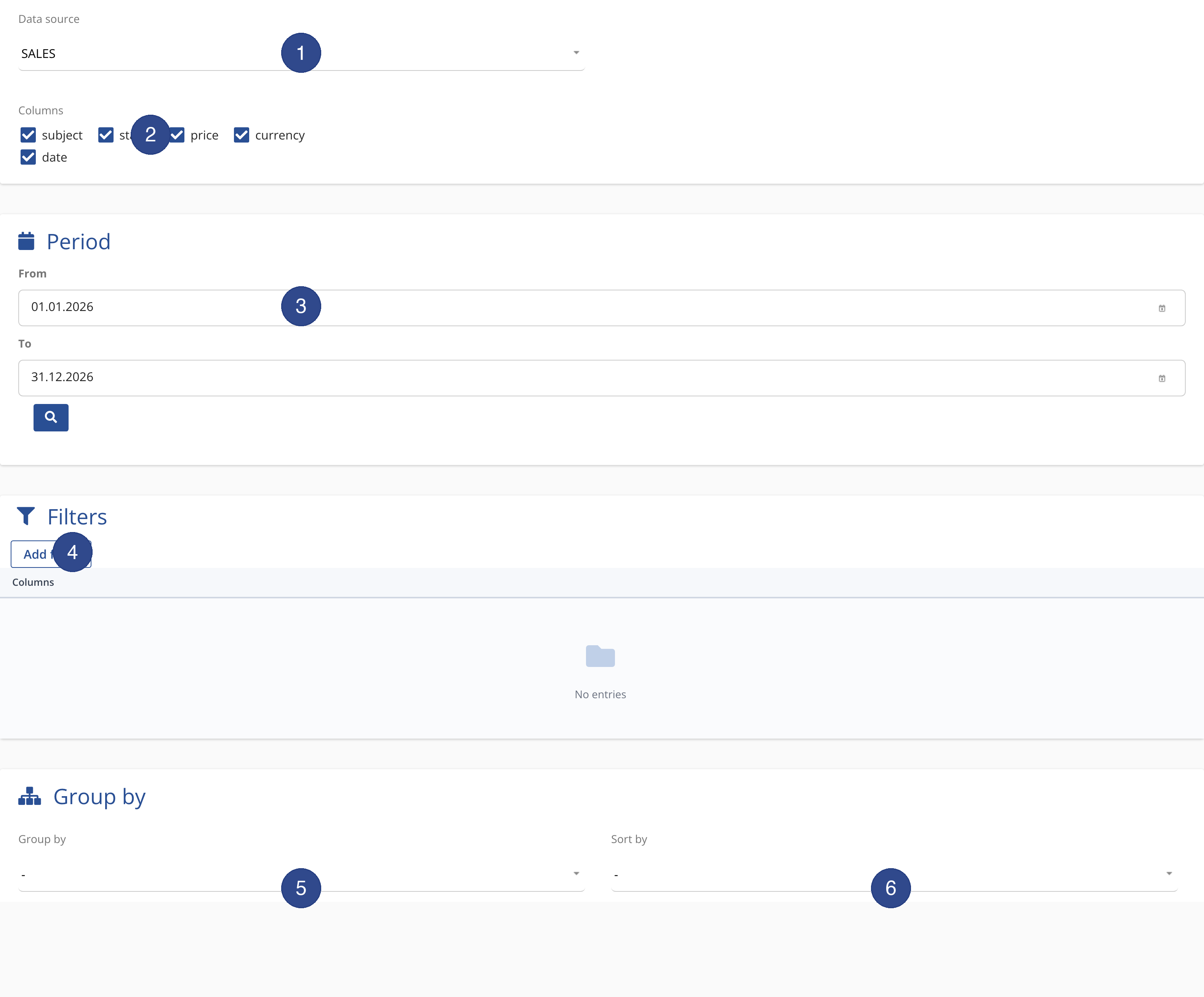
- 1 – Data source
- Basis of the report, e.g. sales, registrations or fees.
- 2 – Columns
- Fields that appear as columns in the report (tick to select or deselect).
- 3 – Period
- From and to date of the reporting window.
- 4 – Filters
- Use Add filter to set conditions per column (column, operator, value).
- 5 – Group by
- Aggregates the rows by a field and sums them.
- 6 – Sort by
- Field the results are sorted by.
Use Preview / Download to see the result and export it. With Save you store the report; Saved reports are permanently available. This way you create, for example, monthly revenue lists, participant overviews or fee reports exactly to your specification, without relying on prebuilt reports.
Tax period close
The tax period close freezes a billing period so that receipts can no longer be changed afterwards – the basis for clean bookkeeping. After the close, corrections land in the next open period. Typically you close monthly or quarterly periods after the tax return.
Organisation / franchise report
If your club belongs to an organisation (umbrella body, branch chain) with consolidate=yes, the franchise report consolidates the revenue and sales of the member tenants in real time. This lets you see the figures of all locations in one shared report. Individual tenants still see only their own data.