USA — Sales Tax / 1099
On this page you enter the EIN and nexus states as well as a source for combined sales-tax rates for the USA.
What is the US configuration for?
You find this page in the menu under We → Finance → Income & invoicing → US configuration (sales tax). It appears under Finance only once an operating location (Standort) in the USA has been set up.
Here you configure the collection of US sales tax (and 1099): the EIN and the states you have nexus in, plus a source for the combined rate – a tax provider (such as Avalara or TaxJar) or an internal REST endpoint and/or a local override of the combined rates. Per the hint there is no VAT; sales tax is computed per state. A US operating location is required.
The screen at a glance
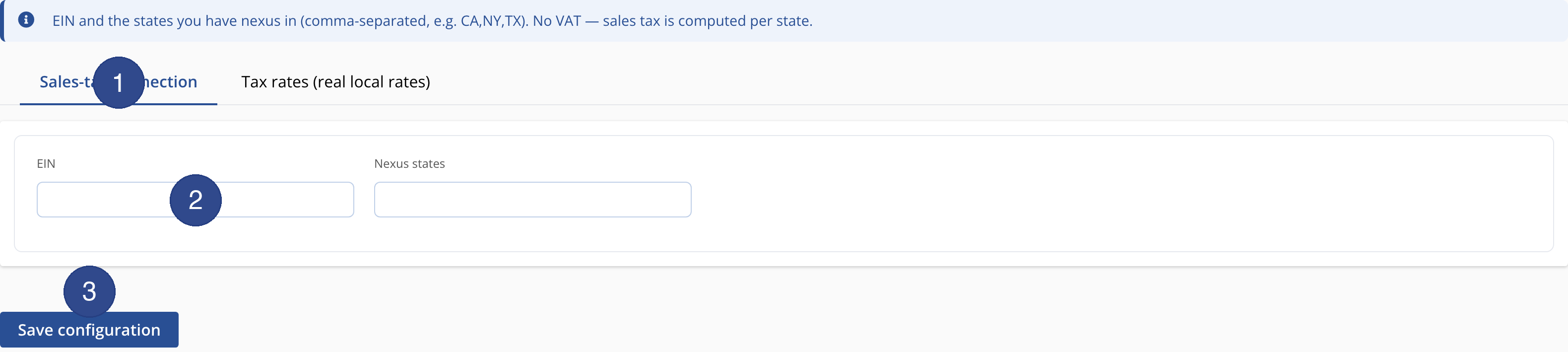
- ① Sales-tax connection tab
- The first tab Sales-tax connection groups the connection data for the sales-tax source.
- ② EIN field
- The EIN field holds the US employer / tax identification number.
- ③ Save configuration button
- The Save configuration button stores your entries.
The configuration fields
The Sales-tax connection tab contains: EIN (US employer / tax identification number), Nexus states (comma-separated list of the states with nexus), Tax-provider endpoint (REST) (address of a tax provider or internal endpoint), Provider API key (its key) and the Provider enabled checkbox, which switches the provider lookup on or off.
The Tax rates (real local rates) tab contains the Local rates (e.g. CA=9.125,WA=10.25) field for manually maintained combined rates per state.