Roles & permissions
Manage roles and permissions via the permission matrix, assign users to a category and trace changes in the audit log.
Overview
Here you can manage roles, permissions and assign users to a category. This lets you define exactly who may see and edit which areas – from read-only access to full administration. The mask has three tabs: Permission matrix, Category assignment and Organisation roles.
Permission Matrix
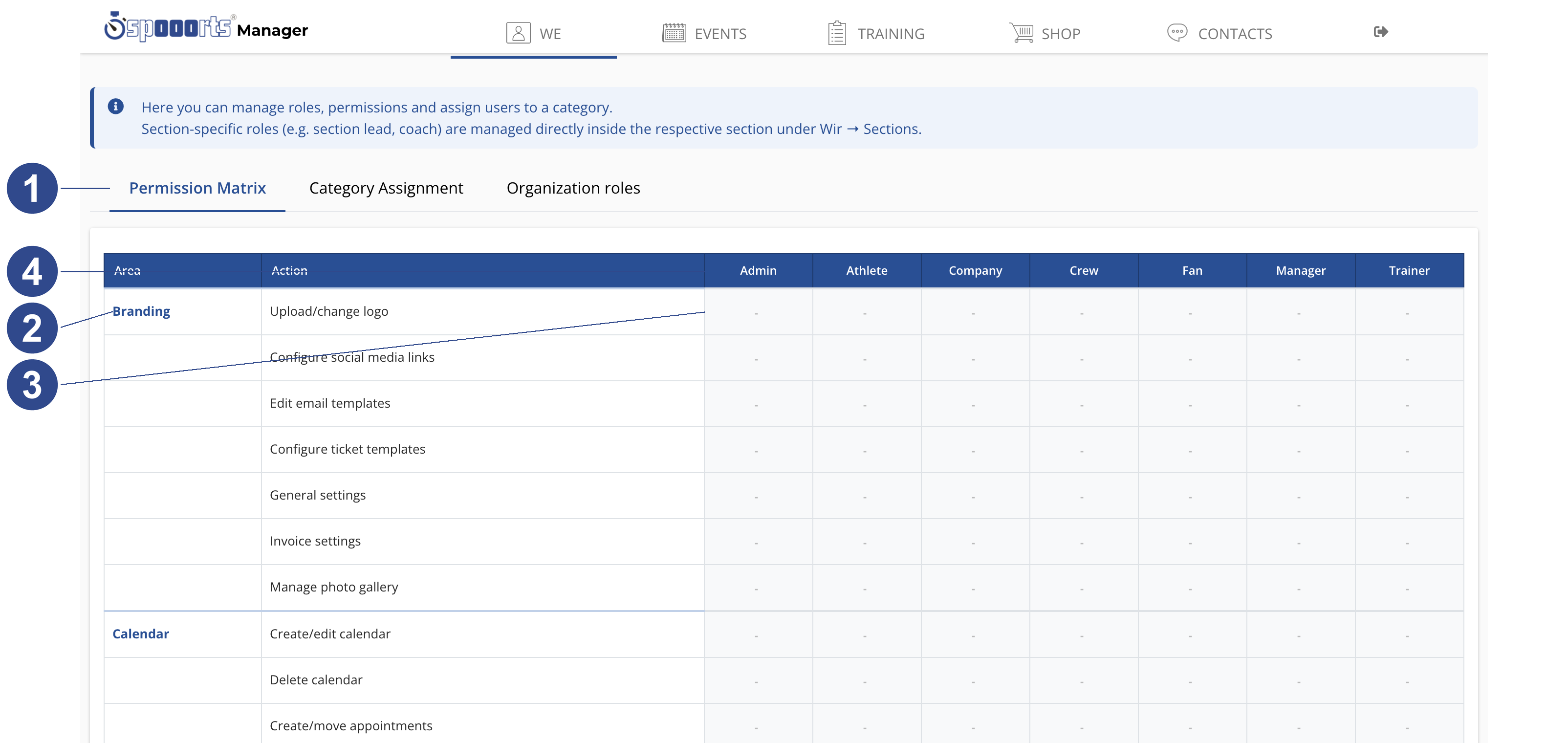
- ① Tabs
- Switches between the permission matrix, the category assignment (which users belong to which category) and the organisation roles.
- ② Area & action
- Each row is a single action within an area, e.g. "View/manage registrations" in the Registrations area. The area is shown as a heading on the left, the action right next to it.
- ③ Permission
- The cell shows a role's right for this action: L = read, L/S = read + write, – = no access. As an administrator you cycle the right by clicking the cell.
- ④ Role column
- Each column stands for a role. The column header names the role; below it each action shows that role's right.
The permission matrix lists per area the possible actions (rows) and per category (role, columns) the level: L = read, L/S = read + write, – = no access. Section-specific roles (section lead, coach) are managed in the respective section under We → Sections. Set permissions sparingly: each category should open only the areas it really needs.
Category Assignment
In the Category assignment tab you assign a user to a category (role) – via Assign category with a scope. The scope limits the role to a section or the whole club; a user can have several categories.
Organization roles
Organisation roles result from team/board membership and grant permissions automatically (read-only). They cannot be edited directly here but change automatically when the team or board membership changes.
Audit log
The audit log (Contacts → Data protection) records changes with the columns: Time · Action · Actor · Target · Details. This way every permission change is fully traceable – important for data protection and internal control.