Signatures
Have documents signed electronically – with a document hash (SHA-256) and a signing link by email.
Overview
Under We → Finance → Income & invoicing → Signatures you have documents (e.g. memberships or contracts) signed electronically. Each request gets a document hash (SHA-256) and a signing link that the signer receives by email. This documents signatures digitally, without sending paper. The signatures are attached to the respective documents and can be called up again at any time for verification.
New request
Under New signature request you request a signature:
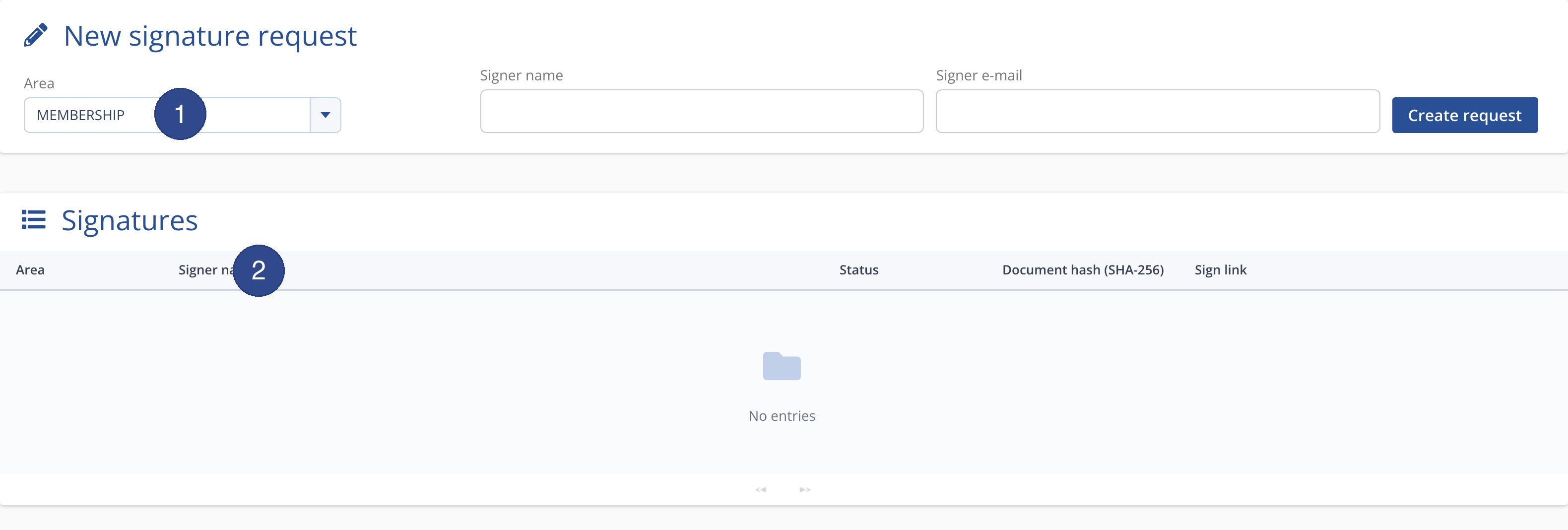
With Create request the signing link is generated and sent by email to the signer. The area determines which document is signed. As long as no signature exists, the entry stays open; after signing it is completed. You create several requests one after another, for example for different members.
Process & proof
The signer opens the link, checks the document and signs electronically; the status in the list changes from open to signed. The document hash ensures that exactly the presented version was signed – any subsequent change would alter the hash. This gives you a verifiable, legally secure proof of the signature that can be called up at any time via the list. Because the link is personalised, only the addressed signer can sign the document, and you immediately see in the list which signatures are still outstanding.